
Apple CarPlay & Android Auto: How to Modernize Your Older Vehicle
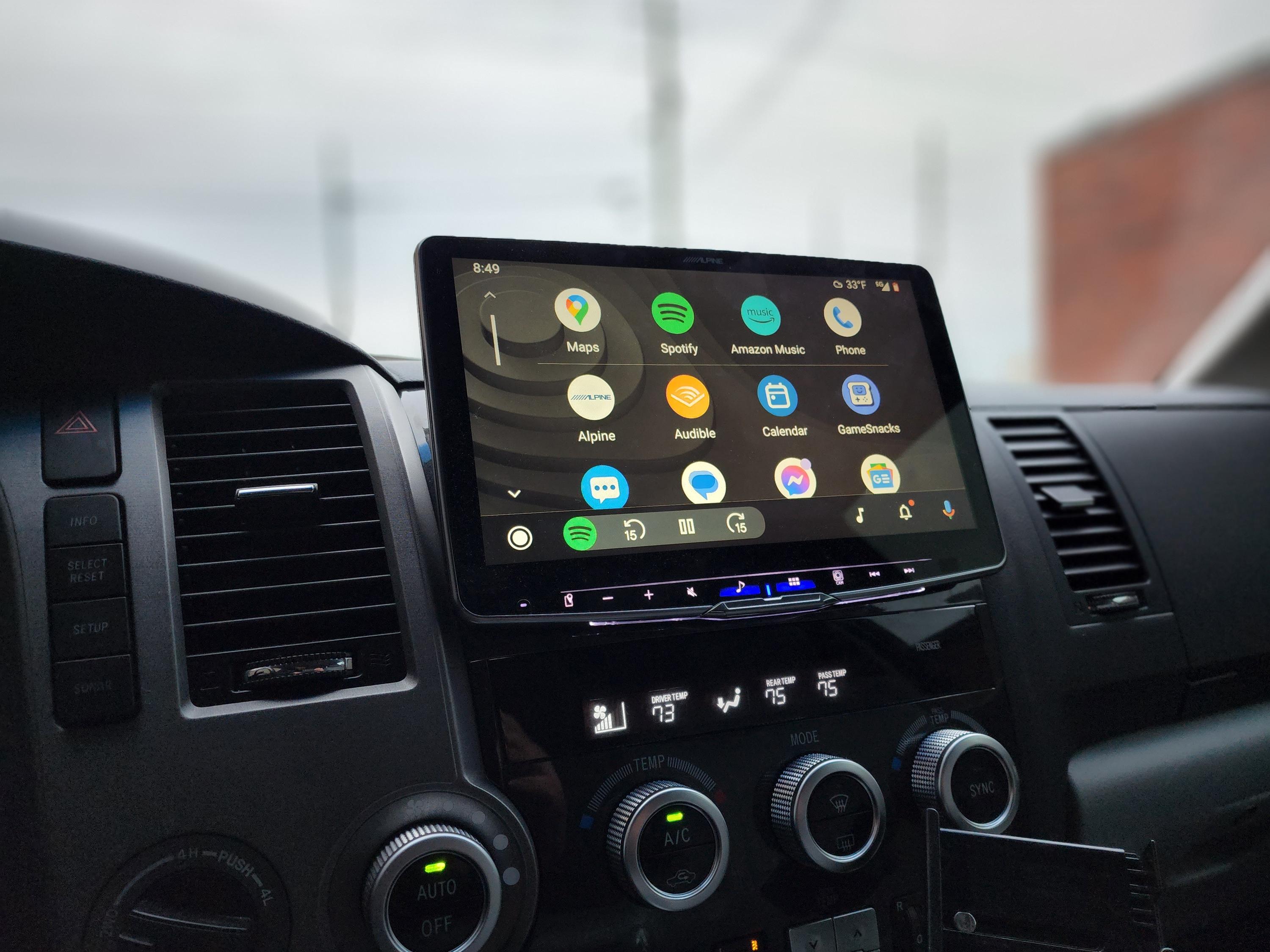
Older cars don’t come with the tech features we rely on every day, but that doesn’t mean you have to miss out. If you’re searching for “Apple CarPlay installation Indianapolis” or want to add Android Auto to factory radio, there’s a way to bring your ride up to speed. This guide shows how an aftermarket touchscreen stereo or Bluetooth car radio upgrade near me can turn your vehicle into a hub for navigation, calls, and music without buying new.
Why Your Older Car Deserves Modern Tech
Let’s be real: your 2010 sedan runs great, gets you where you need to go, and is paid off. But every time you get in, you’re fumbling with phone mounts, dealing with tangled aux cords, and missing turns because your phone screen is too small to see the map clearly. Sound familiar?
You don’t need a brand-new car to get the tech features that make driving easier and safer. Apple CarPlay and Android Auto bring your smartphone’s best features right to your dashboard, and installing them is way more affordable than you might think.
What CarPlay and Android Auto Actually Do
Before we talk installation, let’s cover what these systems bring to your daily drive. Apple CarPlay (for iPhone users) and Android Auto (for Android users) mirror your phone’s interface onto a larger screen in your car. That means:
-
Navigation through Apple Maps, Google Maps, or Waze on a screen you can actually see
-
Hands-free calling and texting that keeps your eyes on the road
-
Music streaming from Spotify, Apple Music, Pandora, or whatever you use
-
Voice control through Siri or Google Assistant
-
Access to compatible apps without touching your phone
Think of it like this: instead of squinting at your phone or trying to type an address while sitting in a parking lot, everything pops up on a bigger screen with bigger buttons. Your kids in the backseat can help pick the music, you can ask Siri to send a text, and you’ll never miss another exit because the directions are right there in front of you.
Can You Add These Features to Your Current Radio?
This is the million-dollar question, right? Can you add Android Auto to factory radio without replacing everything?
The short answer is: sometimes, but usually not. Most factory radios in older vehicles weren’t built with smartphone mirroring in mind. A few car manufacturers offered software updates for certain models between 2016 and 2018, but if your car is older than that, your factory head unit probably can’t support these features.
The good news? An aftermarket touchscreen stereo gives you way more than just CarPlay and Android Auto. You’re getting a full upgrade that’ll make your whole audio system better.
When Factory Radio Upgrades Work
Some newer vehicles (think 2016 and later) from brands like Honda, Toyota, and Chevrolet can get dealer-installed updates. If you’ve got a car in that range, call your local dealer and ask if your specific model and year can support CarPlay or Android Auto through a software update. It might save you some money.
But for most of us driving cars from 2015 and earlier, replacing the head unit is the way to go. And trust me, it’s not as complicated or expensive as it sounds.
Choosing the Right Aftermarket Touchscreen Stereo
Here’s where things get fun. When you start shopping for an aftermarket touchscreen stereo, you’ll find options ranging from around $200 to over $1,000. What’s the difference? Let me break it down.
Screen Size Matters
Touchscreen stereos come in different sizes, usually ranging from 6.2 inches to 10 inches. The right size depends on your dashboard space and personal preference. A 7-inch screen works great for most sedans and compact cars. If you’ve got an SUV or truck with more dashboard real estate, you might want to go bigger.
Pro tip: measure your current radio opening before you shop. Some cars have single-DIN openings (about 2 inches tall), while others have double-DIN (about 4 inches tall). This determines what’ll actually fit in your dash.
Features to Look For
Not all aftermarket stereos are created equal. When you’re comparing options, here’s what to check:
Wireless vs. Wired Connection: Some units require you to plug your phone in via USB every time you get in the car. Others offer wireless CarPlay and Android Auto, which means your phone connects automatically when you start the car. Wireless is super convenient, but it does cost a bit more.
Backup Camera Compatibility: Many aftermarket touchscreen stereos have inputs for backup cameras. If you don’t have one already, this is a great time to add that safety feature.
Voice Control: Make sure the unit supports voice commands through your phone. This is what makes the whole system hands-free and safe.
Sound Quality: Look for units with built-in amplifiers and equalizer settings. If you care about audio quality, this stuff matters.
Bluetooth Capabilities: Even when you’re not using CarPlay or Android Auto, you want good Bluetooth for calls and music. A quality Bluetooth car radio upgrade near me search should help you find units with strong wireless connections.
Popular Brands Worth Considering
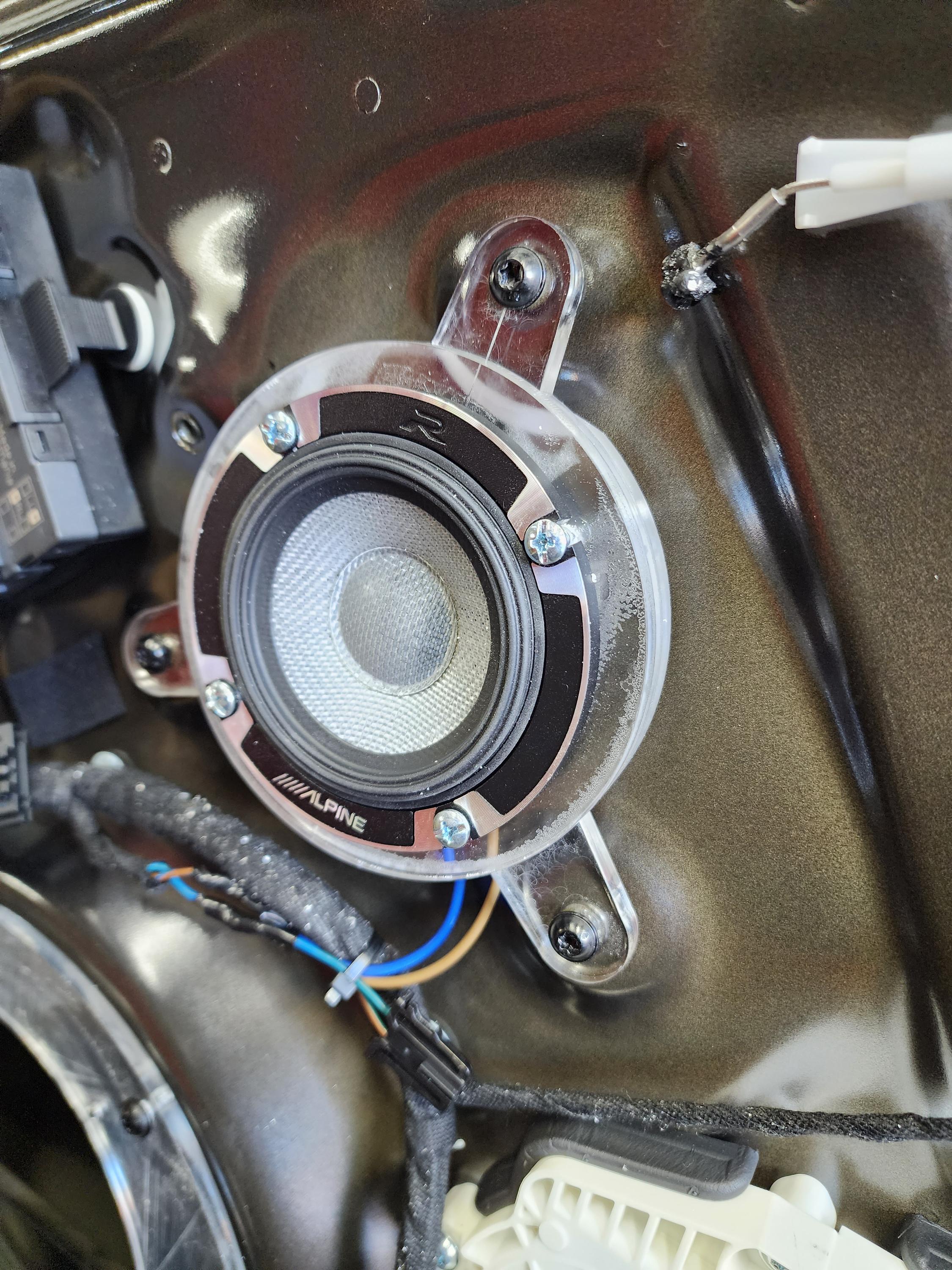
Pioneer, Kenwood, Sony, Alpine, and JVC all make solid aftermarket head units. Pioneer’s units are known for being user-friendly. Kenwood offers great sound quality. Sony units often have the sleekest interfaces. You really can’t go wrong with any of these brands if you stick to their mid-range or higher models.
The Installation Process: DIY or Professional?
Alright, so you’ve picked out your new stereo. Now what? You’ve got two paths: install it yourself or find a pro to do it for you.
DIY Installation: Is It Doable?
If you’re handy with tools and comfortable following instructions, you can absolutely install an aftermarket touchscreen stereo yourself. Here’s what you’ll need:
The Right Installation Kit: Every car is different, so you’ll need a dash kit specific to your make, model, and year. This kit fills the gaps and makes your new stereo look like it belongs there. You’ll also need a wiring harness adapter that connects your new stereo to your car’s existing wiring.
Basic Tools: Panel removal tools (plastic pry tools), wire strippers, electrical tape, and a set of screwdrivers will get you through most installations.
Time and Patience: Set aside 2 to 4 hours for your first installation. YouTube is your friend here. Search for your specific car model plus “stereo installation” and you’ll find step-by-step videos.
The process usually goes like this:
-
Disconnect your car battery (safety first!)
-
Remove the trim panels around your factory radio
-
Unbolt and disconnect the factory radio
-
Connect the wiring harness adapter to your new stereo
-
Connect your car’s harness to the adapter
-
Mount the new stereo in the dash kit
-
Reassemble everything and test it out
Sounds straightforward, right? It can be, but older cars sometimes have quirky wiring or hard-to-remove panels. If you’re not confident, there’s no shame in getting help.
Professional Installation: What to Expect
Searching for “Apple CarPlay installation Indianapolis” or wherever you’re located will bring up car audio shops that do this work every day. Professional installation typically costs between $100 and $300, depending on your vehicle and the complexity of the job.
What do you get for that money? Professionals have the right tools, they know the tricks for your specific car, they’ll make sure everything’s wired correctly, and most shops offer warranties on their work. If something goes wrong, you’re covered.
They can also handle extras like:
-
Running wires for backup cameras
-
Steering wheel control integration (so your factory buttons still work)
-
Custom mounting solutions for tricky dashboards
-
Professional wire hiding and finishing touches
For many people, especially those with newer cars that have complex electronics, professional installation is worth every penny. You get peace of mind and a clean, factory-looking result.
Getting the Most Out of Your New System
Okay, your new stereo is installed and you’re ready to go. Let’s talk about actually using Apple CarPlay and Android Auto.
Setting Up Apple CarPlay
If you have an iPhone 5 or newer running iOS 7.1 or later, you’re good to go. Here’s how to get started:
-
Make sure Siri is enabled on your phone (Settings > Siri & Search)
-
Connect your iPhone to the stereo via USB (or pair it wirelessly if your unit supports that)
-
On your phone, tap “Allow” when asked if you want to enable CarPlay
-
Your CarPlay interface should appear on the stereo screen
That’s it! Your home screen will show apps like Maps, Music, Phone, Messages, and any other CarPlay-compatible apps you have installed. Press and hold the voice control button on your stereo (or steering wheel) to activate Siri.
Setting Up Android Auto
For Android users with phones running Android 5.0 or newer, the process is similar:
-
Download the Android Auto app from the Google Play Store if you don’t have it already
-
Connect your phone via USB (or wirelessly)
-
Follow the on-screen prompts to grant necessary permissions
-
Your Android Auto interface will appear on the screen
You’ll see Google Maps, Google Play Music, Phone, and other compatible apps ready to use. Press the voice control button and say “Hey Google” to give commands.
Apps That Work Great With CarPlay and Android Auto
Both systems support tons of apps beyond the basics. Here are some favorites:
Navigation: Google Maps, Waze, Apple Maps. Waze is great for real-time traffic and police alerts. Google Maps has the most comprehensive business listings. Apple Maps has gotten way better and works smoothly with CarPlay.
Music and Podcasts: Spotify, Apple Music, Pandora, Amazon Music, Audible, Podcast apps. Pretty much any major audio app works.
Messaging: WhatsApp, Facebook Messenger (read-only), and of course your regular text messages. The system reads messages aloud and lets you dictate responses.
Other Useful Apps: Audiobooks, news apps, parking apps, and even some food delivery apps work with these systems.
Voice Commands That’ll Change Your Drive
The whole point of CarPlay and Android Auto is keeping your hands on the wheel and eyes on the road. Get comfortable with these voice commands:
-
“Navigate to [address or place name]”
-
“Call [contact name]”
-
“Text [contact name] I’m on my way”
-
“Play [song/artist/playlist] on Spotify”
-
“What’s the weather like?”
-
“Find coffee shops near me”
The more you use voice control, the more natural it becomes. Your kids will think you’re living in the future.
Troubleshooting Common Issues
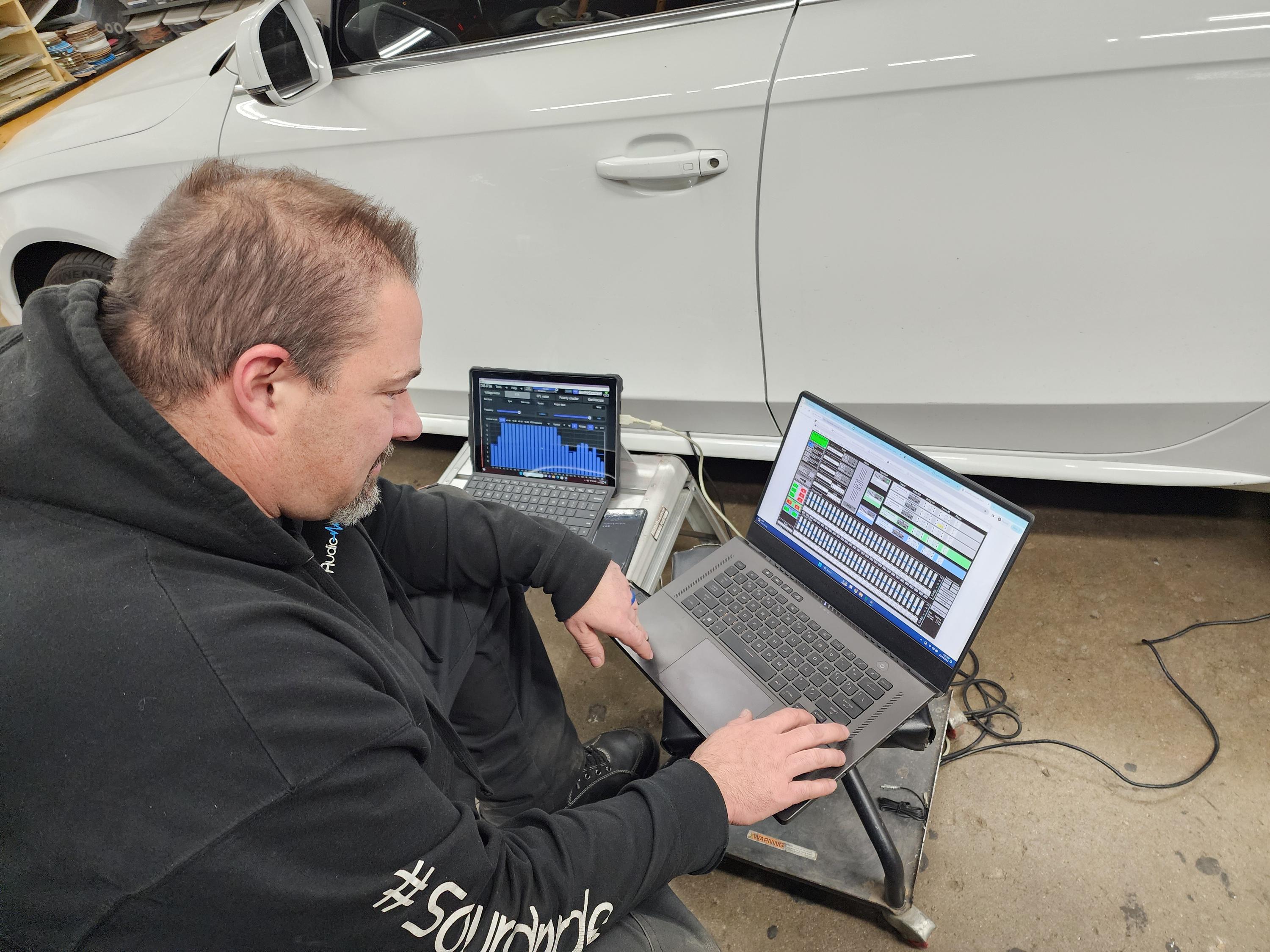
Even with a great installation, you might run into occasional hiccups. Here are quick fixes for the most common problems:
Phone Won’t Connect
First, try the obvious stuff: unplug and replug the USB cable, restart your phone, restart your car. Check that you’re using a quality USB cable (cheap cables cause tons of connection issues). Make sure your phone’s software is up to date.
For wireless connections, forget the Bluetooth pairing on both devices and re-pair from scratch.
Laggy or Frozen Screen
This usually means your phone is trying to do too many things at once. Close background apps on your phone. If you’ve got an older phone, it might struggle to run CarPlay or Android Auto smoothly. These systems work best with phones from the last 3 to 4 years.
Poor Sound Quality
Check your stereo’s equalizer settings. Many aftermarket units come with presets for different music types (rock, pop, jazz, etc.). Play around until you find what sounds good to you. Also make sure your streaming quality settings in Spotify or Apple Music are set to high quality.
Steering Wheel Controls Don’t Work
If you had steering wheel controls with your factory radio and they stopped working after installation, you might need an additional adapter. These adapters (usually around $50) translate your car’s steering wheel button signals so your new stereo understands them. A professional installer would have mentioned this, but if you DIY’d it, you might need to go back and add this piece.
Is the Upgrade Worth It?
Let’s talk real numbers for a second. A decent aftermarket touchscreen stereo with CarPlay and Android Auto costs between $250 and $500. Add installation (whether DIY supplies or professional labor) and you’re looking at $300 to $800 total.
Compare that to a new car payment: even a modest $300 monthly payment adds up to $3,600 per year. For less than one year’s worth of car payments, you can make your current reliable car feel modern and keep driving it for years to come.
For daily commuters, this upgrade pays for itself in reduced stress and increased safety. No more distracted driving while trying to see your phone screen. No more missed turns. No more fumbling with aux cords or FM transmitters that cut out.
For parents, having a bigger screen means kids can help with navigation, everyone can agree on music, and hands-free calling means you can talk to the school office or doctor without pulling over.
Finding the Right Shop for Apple CarPlay Installation Indianapolis
If you’re in the Indianapolis area (or anywhere else) and want professional help, here’s how to find a good shop:
Read Reviews: Google reviews, Yelp, and Facebook pages tell you a lot about a shop’s quality and customer service. Look for shops with consistent 4+ star ratings and read what people say about the installation quality.
Ask About Experience: When you call, ask how many CarPlay and Android Auto installations they do per month. You want a shop that does this regularly, not someone learning on your car.
Get Multiple Quotes: Call at least three shops for quotes. Prices can vary quite a bit. Make sure quotes include the stereo, all necessary installation parts, and labor.
Check for Warranties: Good shops warranty their installation work. Ask what’s covered and for how long.
Visit in Person: If possible, stop by the shop before committing. A clean, organized shop with friendly staff is usually a good sign.
When searching for a “Bluetooth car radio upgrade near me,” you’ll find both big chain stores (like Best Buy) and local independent shops. Both can do great work, but local shops often provide more personalized service and have more flexibility with custom installations.
What About Future-Proofing?
Technology changes fast. Will your new stereo be outdated in a few years?
The good news is that CarPlay and Android Auto update through your phone, not your stereo. When Apple or Google releases new features, your phone gets them and they work with your existing stereo. Your stereo is basically just a display and control interface.
That said, wireless connectivity is becoming standard. If you’re buying a new stereo now, spending a bit extra for wireless CarPlay and Android Auto is probably smart. It’s one less cable to deal with and one less thing to wear out.
Beyond CarPlay and Android Auto: Other Upgrades to Consider
While you’re upgrading your car’s tech, you might want to think about these add-ons:
Backup Camera: If your car doesn’t have one, a backup camera makes parking so much easier and safer. Most aftermarket touchscreen stereos have camera inputs, and cameras themselves are pretty affordable (around $50 to $150).
Dash Cam: A dash cam records your driving and can be a lifesaver if you’re ever in an accident. Some can even connect to your new stereo for easy viewing of footage.
Better Speakers: If your factory speakers are old and blown, new speakers make a huge difference. Even budget aftermarket speakers usually sound better than worn-out factory ones.
Subwoofer: If you like bass, adding a small powered subwoofer brings music and podcasts to life without taking up too much trunk space.
USB Charging Ports: Many aftermarket stereos have USB ports that charge your phone faster than factory units. Some shops can also add extra USB ports in your center console or other convenient spots.
Making the Decision
So, should you upgrade? Here are some questions to ask yourself:
-
Do you plan to keep your car for at least another 2 to 3 years?
-
Do you use your phone for navigation regularly?
-
Would hands-free calling make your commute safer?
-
Are you tired of dealing with phone mounts and aux cables?
-
Do you want to stream music easily?
If you answered yes to most of these, an aftermarket touchscreen stereo with Apple CarPlay and Android Auto makes total sense. It’s one of the most practical upgrades you can make to an older vehicle.
The installation process isn’t as scary as it might seem, especially if you go with professional help. And once it’s done, you’ll wonder how you ever drove without it.
Getting Started Today
Ready to bring your car into the modern age? Here’s your action plan:
-
Research Stereos: Spend some time on Crutchfield, Amazon, or your local car audio shop’s website. Read reviews and compare features. Make a shortlist of 2 to 3 units that fit your budget and needs.
-
Check Compatibility: Make sure the stereos you’re considering will fit your car. Crutchfield has a great tool where you enter your car’s info and it shows you what fits.
-
Decide on Installation: Be honest about your skill level. If you’re not confident, budget for professional installation from the start.
-
Shop Around: Get quotes from multiple shops if you’re going pro. Ask about package deals that include the stereo, installation, and extras like backup cameras.
-
Schedule It: Most installations take a few hours. Drop your car off in the morning, pick it up in the afternoon, and you’re good to go.
Whether you’re searching for “Apple CarPlay installation Indianapolis” or looking to add Android Auto to factory radio anywhere else, the process is similar. Find a good stereo, get it installed properly, and enjoy the upgrade.
Your morning commute is about to get a whole lot better. No more squinting at your phone, no more missed turns, no more tangled cables. Just smooth, safe, connected driving in the car you already love.
Got questions about your specific vehicle or situation? Most car audio shops are happy to chat on the phone or in person about what’ll work best for you. Don’t be shy about asking. These folks do this every day and they genuinely want to help you get the right setup.
Time to give your reliable old car the tech upgrade it deserves. You’ll be amazed at the difference a simple stereo swap can make.
Ready to modernize your dash? See our Apple CarPlay and Android Auto installation service, or stop by the showroom to compare touchscreens in person.